
Laravel Nova: Adding confirmation text on destructive actions
Have you ever tried to delete a GitHub repository?
If you’ve done that before, you probably noticed that it’s required to write some confirmation text before doing such a destructive action like erasing or archiving a whole repository.
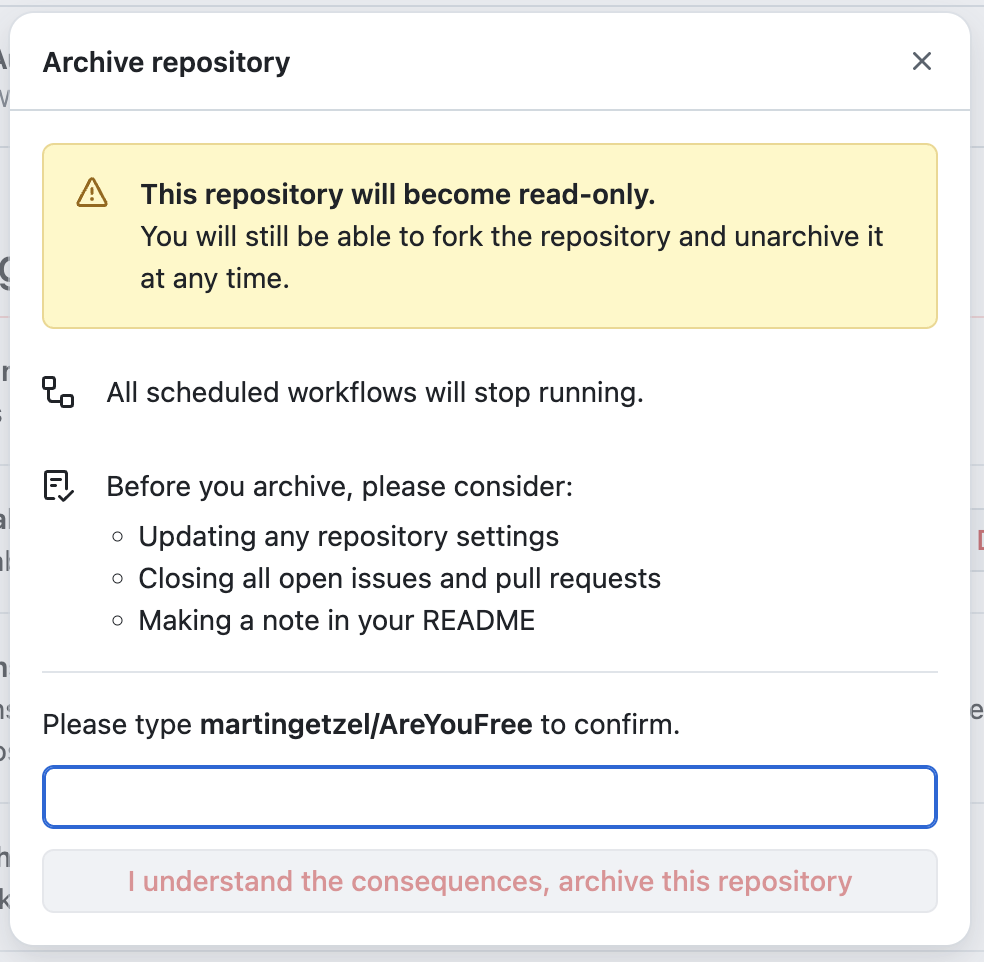
In one of our projects, we aimed to replicate the same behavior when an admin user attempts to delete existing users.
There’s this phenomenon called “confirmation fatigue“, where users become habituated to confirmation dialogs and just click through them without processing the content. It may happen to any of us, so we want to add a double-check before allowing users to perform delicate actions.
How do we achieve this on Laravel Nova?
The first step is to begin creating a new Nova action. In our case, the action was force deleting users, so we just called it ForceDeleteUsers. And as it was a destructive action, we’ve added the –destructive flag to the generation command.
php artisan nova:action ForceDeleteUsers --destructive
This command creates a new file that will be stored in our /app/Nova/Actions directory.
On the fields function, we want to add the confirmation field. This will generally be a Text field (you can replace this with the field you want, of course).
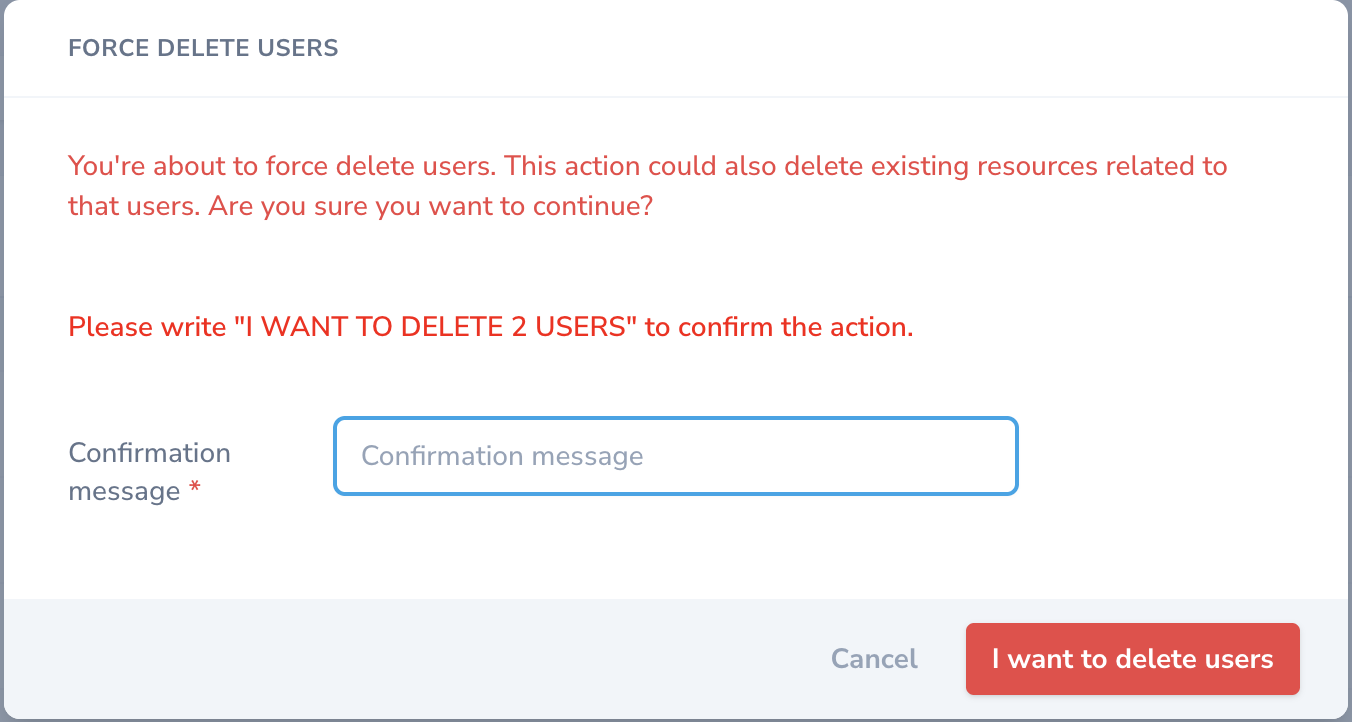
In our case, the user needs to write “I WANT TO DELETE [number] USERS”, so we need to get the number of selected users.
For that, we’ve added the following code to the class:
private $validationText;

public function __construct()
{
    // request('resources', []) can return an array of ids, [], or "all"
    $resources = is_array(request('resources', [])) ? count(request('resources', [])) : Str::upper(request('resources', ''));
    $this->validationText = 'I WANT TO DELETE '.$resources.' USERS';
}
That way, we’ll have the validation text based on the number of users available in the whole class.
And then, we completed the fields function with the following:
public function fields(NovaRequest $request)
{
    return [
        Heading::make('<div style="-webkit-user-select: none; user-select: none; color: red; font-weight: 600;">Please write "'. $this->validationText . '" to confirm the action.</div>')->asHtml(),
        Text::make('Confirmation message', 'confirmation')
            ->rules(function (NovaRequest $request) {
                return [
                    'required',
                    Rule::in([$this->validationText]),
                ];
            }),
    ];
}
You can see we’ve added a Heading field with an HTML code that will allow us to display the text the user needs to write in the confirmation box, without allowing them to copy and paste it. This way, the action can’t be done unconsciously; the user needs to mentally process the message and write it manually.
Now, you should add your custom logic in the handle function of the Action class.
Another thing we need to do is to disable the default delete action on the Nova resource. For that, we’ll need to add the following logic to the class:
public function authorizedToDelete(Request $request)
{
    // As the ForceDeleteUsers action extends the DestructiveAction class, we need to authorize the deletion only for that case
    return $request->query('action') === 'force-delete-users';
}

public function authorizedToForceDelete(Request $request)
{
    return false;
}
And also on the same resource, we’ll need to add the following code to the actions function:
public function actions(NovaRequest $request)
{
   return [
        ForceDeleteUsers::make()
            ->confirmText("You're about to force delete users. This action could also delete existing resources related to that users. Are you sure you want to continue?")
            ->confirmButtonText('I want to delete users'),
    ];
}
And that’s all. Now, when the admin users try to delete users from our database, the following confirmation modal will be displayed: